View your plan and usage
/billing shows your current plan, this month’s usage, and the rolling history.
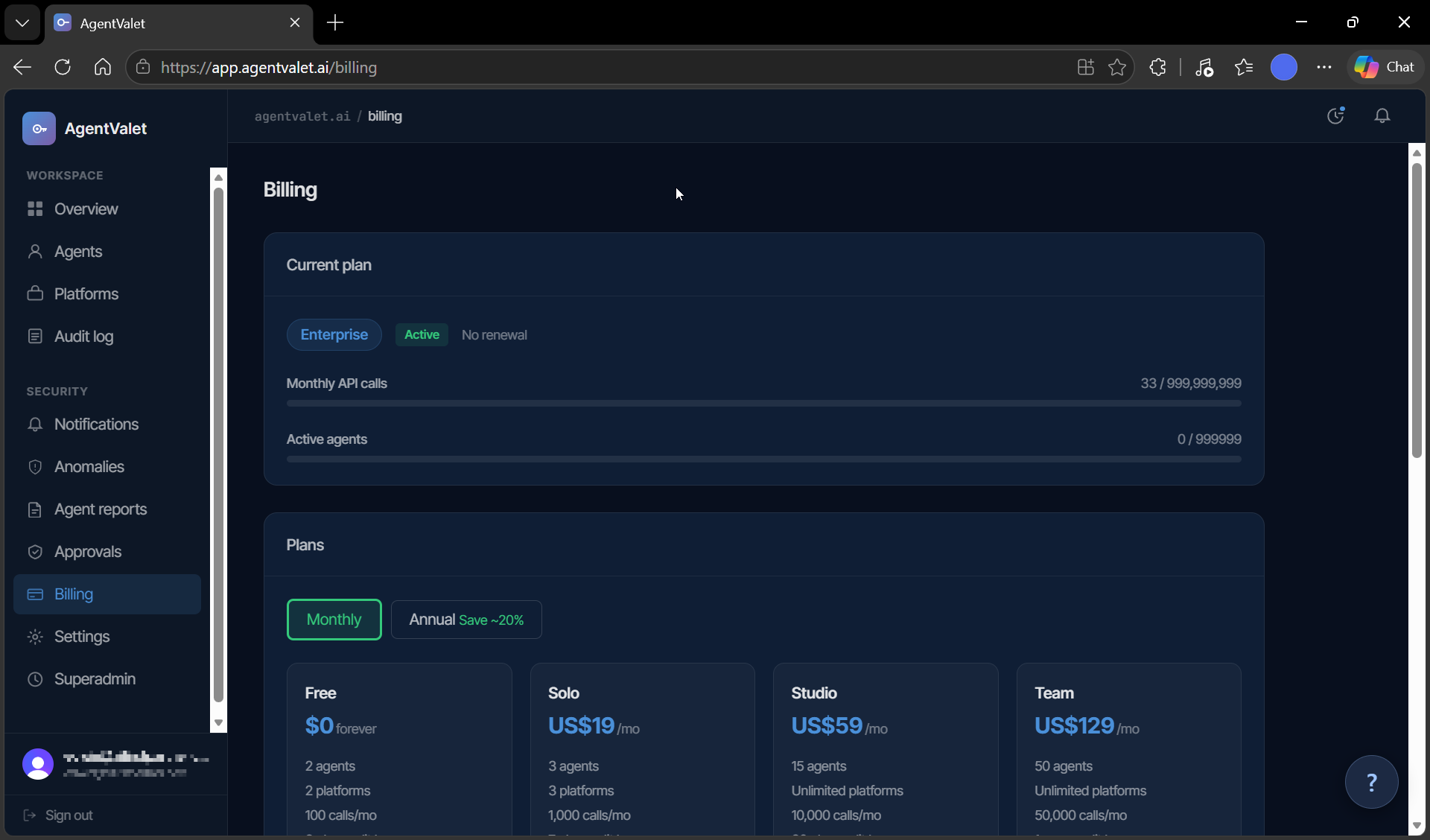
Page sections
Current plan
- Plan badge — your plan name (e.g.,
Studio) and a status badge (active/trialing/past_due/cancelled) - Renewal text — “Renews
{date}” or “No renewal” if you’re on Free or cancelled
Monthly API calls
Progress bar with {used} / {limit} next to it.
- Below 50% — neutral grey
- 50–74% — amber
- 75–89% — amber with a dismissible warning banner: “You’ve used 75% of your
{Plan}calls this month.” - 90%+ — red, banner: “90% of your included calls used.”
- Over 100% (paid plans) — red, overage banner: “You’re in overage —
{N}calls beyond limit. Estimated US${amount}on next invoice.” - Over 100% (Free) — calls start returning 402, see Understanding overage
Active agents
Same shape — {N} / {limit} progress bar. Doesn’t trigger overage; instead, adding past the limit is just blocked.
Money-back guarantee callout
If you’re within 30 days of subscribing:
“30-day money-back guarantee — expires
{date}({days}days remaining). Request a refund →”
See Request a refund.
Plans grid
Below the current plan: every available plan as a card.
- Plan name, monthly price (or annual price if you’ve toggled “Annual Save ~20%”)
- Limits: agents, platforms, calls/month, audit retention
- Features: overage rate (paid only), audit export, approval delegation, push, anomaly detection, forensics, SSO
Each card’s CTA:
- Get started (blue) — if it’s an upgrade option
- Current plan (disabled) — for your active plan
- Downgrade to Free — opens a Stripe cancel flow
Payment method
Visible if you’ve ever been billed.
“Manage your subscription, payment method, and invoices in the Stripe billing portal.”
Click Manage billing → to open the Stripe portal in a new tab.
Usage history
12-month rollup table:
- Month
- Calls
- Agents active
Empty state: “No usage data yet.”
Where the numbers come from
- Monthly call count — incremented on every proxied action (allowed, denied, approved, queued — anything that hit the proxy)
- Active agent count — agents with
status = 'active'(suspended / revoked / deleted don’t count) - Estimated overage — computed from
(used - limit) × overage_rate_per_call
The display refreshes when you load the page; there’s no auto-refresh.