Approval flow
When you grant a scope with require_approval: true, the agent can still attempt every call. AgentValet just doesn’t let those calls reach the platform until you say yes.
This is the full path from “agent tried to do something” to “the thing actually happened” (or didn’t).
Step 1 — The agent calls; AgentValet queues
The agent signs and sends its request normally. AgentValet checks the signature, looks up the permission, sees require_approval: true, and instead of forwarding the call to the platform, it:
- Inserts a row into the
approval_queuewith the action, the agent, the platform, the scope, and the original request payload - Returns to the agent:
{ approval_id, status: "pending", expires_at, created_at } - Notifies you
The agent doesn’t get an answer to its API call — it gets a receipt. Approval requests expire after 10 minutes by default. After that, the queued row is marked expired and you can’t act on it.
Step 2 — You get notified
Two channels, in parallel:
Web Push notification (immediate). If you’ve enabled push notifications and granted the browser permission, you get a notification on whatever device has the AgentValet dashboard open: which agent, which platform, which action. Click it to land on the approval card.
Email magic-link (to delegates). If you’ve added approval delegates in settings, each one receives an email at the same time:
- From:
AgentValet <noreply@agentvalet.ai>(via Resend) - Subject:
Approval required: {agent} → {platform}/{action} - Body: plain-text summary plus a single-use magic link that expires in 24 hours
Push notifications use Web Push (works on desktop Chrome, Android Chrome, and any browser with service-worker support). Native APNs / FCM are not wired up yet.
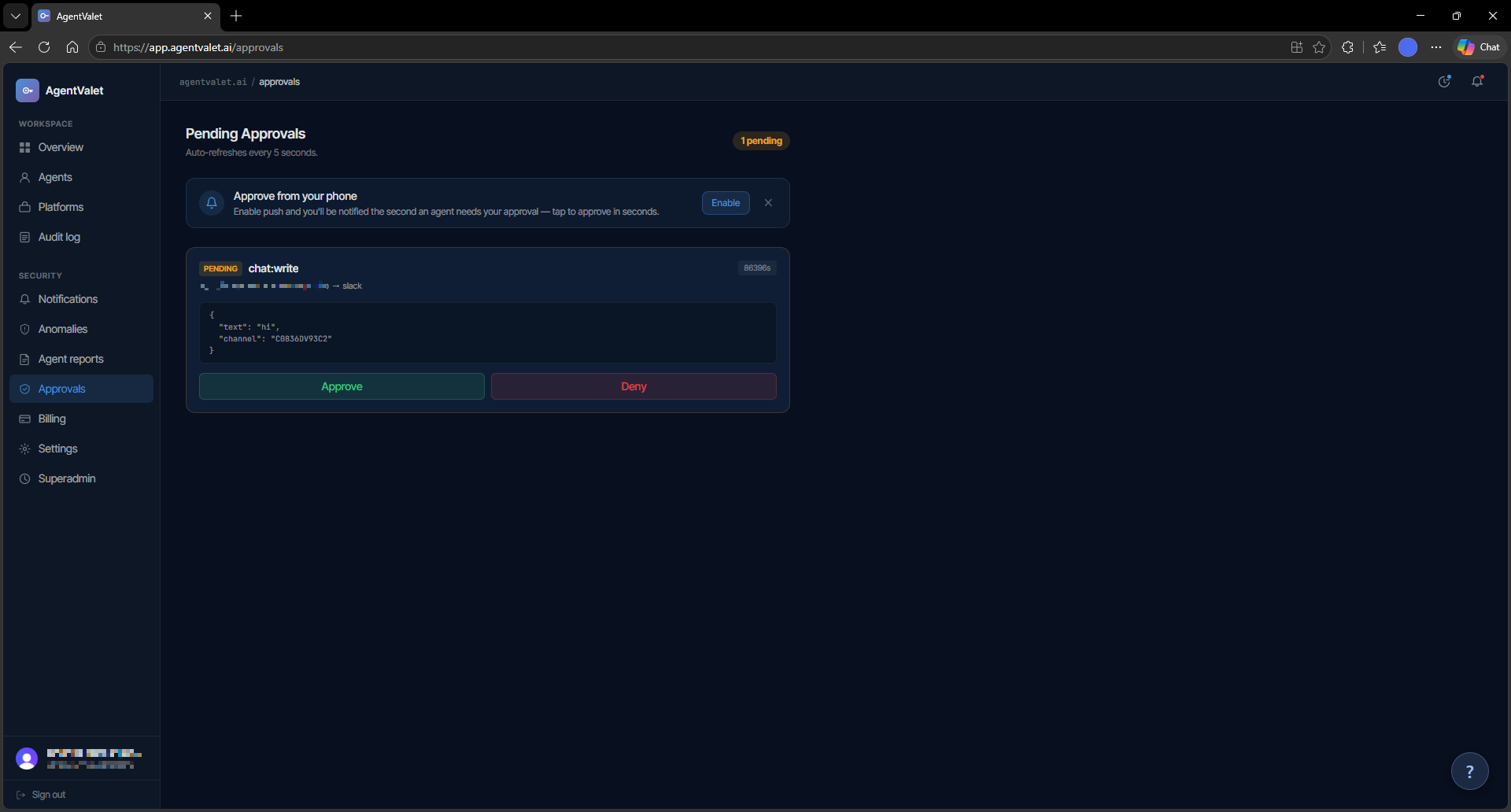
Step 3 — Someone decides
There are three places you can act on a pending approval:
- The dashboard at
/approvals. Click approve or deny. - The mobile view at
/m/approvals/:id. If you’ve registered a passkey, you can confirm with biometric (Touch ID / Face ID / Windows Hello) instead of typing in a session. - The magic link in the delegate email. Opens a page showing the action, plus an approve/deny button. The link is single-use — once it’s been clicked through, the same link from the same email won’t work again (we hash the JWT and store the hash on the row).
For passkey-based approval, AgentValet uses WebAuthn. The challenge expires in 5 minutes; the credential is registered against your owner record and verified on every use, including a clone-detection counter.
Step 4 — The action runs (or doesn’t)
If you approve, AgentValet does not tell the agent and wait — it re-executes the original request itself. The same payload that came in originally is now forwarded to the platform, the response is captured, and the queue row is updated with result_json (or execution_error on failure) and executed_at.
If you deny, the queue row is updated with the denial. No platform call is made.
Either way, the decision is recorded in the audit log along with who actioned it (or which delegate’s magic link was used).
Step 5 — The agent finds out
While all this is happening, the agent has been polling.
- Endpoint:
GET /v1/approvals/:id - Returns:
{ status, result?, execution_error?, expires_at, executed_at } - Rate limit: 60 polls/minute per agent
When status flips to approved and executed_at is set, the response includes the captured platform response — the agent gets what it would have gotten on the original call, just delayed by however long it took you to decide. On denied or expired, the agent gets the status and can tell its user.
Why this design
A few things are deliberate:
- The agent doesn’t sign the approval. You do. An agent that’s been compromised can’t approve its own destructive call by holding a different key.
- Approvals are short-lived. 10 minutes for the queue entry, 24 hours for the delegate email. The longer an approval sits open, the more likely the context behind it has gone stale.
- Re-execution happens on the proxy. The agent never gets a “you may now do this” green light — AgentValet does the call. The agent only sees the result.