Scopes & permissions
A scope is a named action an agent can take on a platform. Scopes are AgentValet’s unit of permission.
The rule
An agent can perform an action only if you have explicitly granted that scope to that agent for that platform.
That’s it. There is no implicit access, no inheritance from one platform to another, no “admin” bypass. Each (agent, platform, scope) triple is a row in your permissions table, and if the row doesn’t exist, the action is denied.
This is what we mean by deny-by-default.
Scope names are platform-native
AgentValet doesn’t impose a uniform scope syntax. Each scope is named the way the underlying platform names it — that way the scope you grant in AgentValet matches the scope you’d read about in the platform’s own API docs.
| Platform | Example scopes |
|---|---|
| Slack | chat:write, channels:read, users:read.email |
| Airtable | data.records:read, data.records:write, schema.bases:read |
| Gmail | https://www.googleapis.com/auth/gmail.readonly, https://www.googleapis.com/auth/gmail.send |
| Stripe | read_only, read_write |
| GitHub | repo, read:user, workflow |
The full catalog for a given platform shows up in the Add permission dialog when you grant access to an agent.
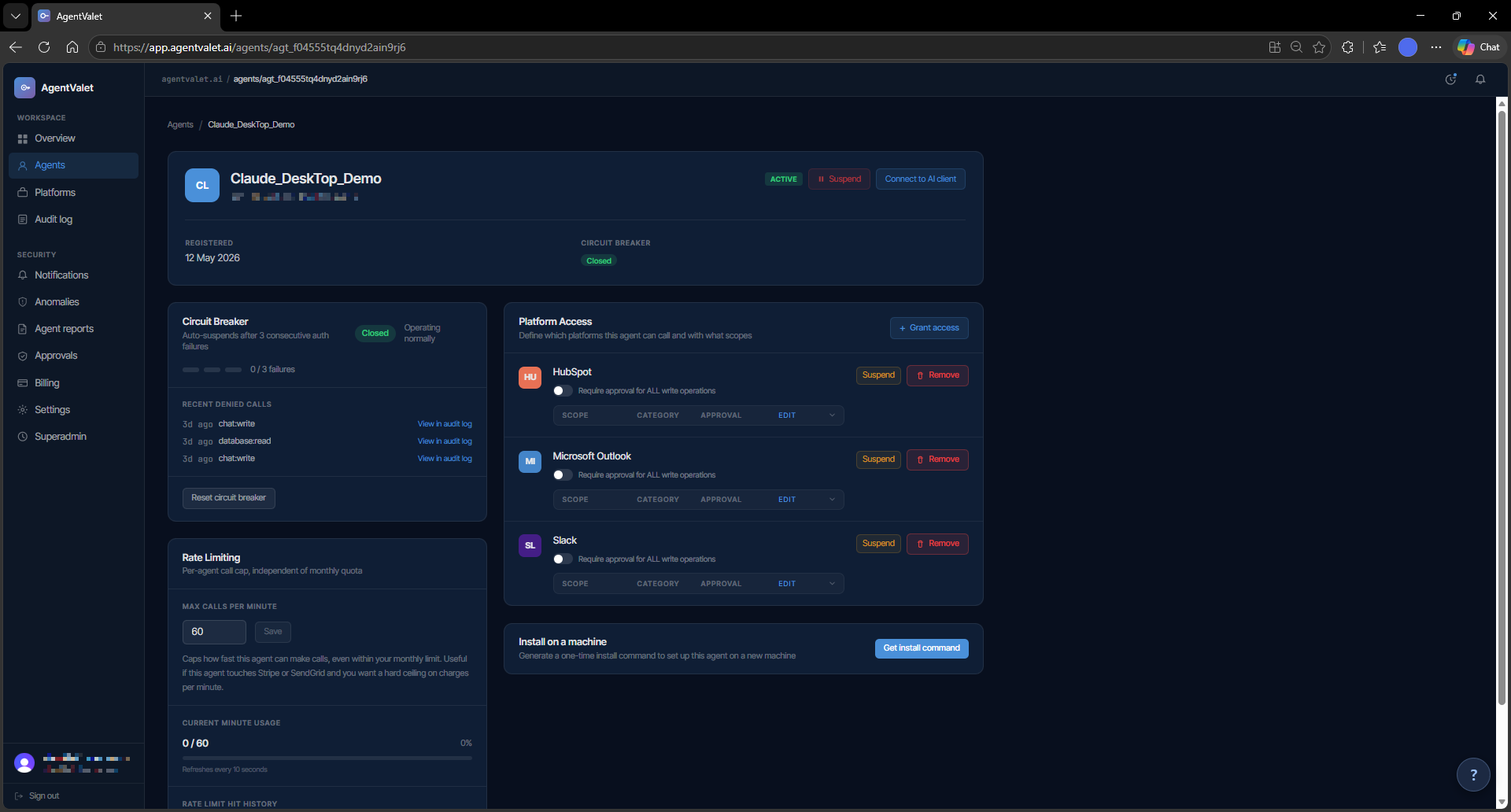
The approval toggle
Every granted scope carries a single boolean: require_approval. When it’s on, every call the agent makes using that scope queues for human approval. When it’s off, calls go through immediately (subject to the platform itself responding).
You set it per (agent, platform, scope) row. The right setting depends on what the scope does — and that’s your judgement call. Some rules of thumb:
- Read scopes: usually safe to leave auto-approved.
- Write scopes that produce content (post a message, create a draft): require approval at first, drop it once you trust the agent for that surface.
- Destructive scopes (send, delete, charge, archive): keep approval on. This is the cheapest insurance the product offers.
AgentValet does not currently enforce any of these defaults in code — it gives you the toggle and the audit log. If you want a destructive scope to bypass approval, the system will let you. We strongly recommend you don’t.
Granting scopes
You grant scopes one of two ways:
- In the dashboard. Open the agent, click Add permission, pick a platform, select the scopes you want, decide whether approval is required. Save.
- At registration time. When an agent registers itself (MCPB or CLI), it can request a set of scopes up-front. You see the request in the Pending tab and approve the scopes you’re comfortable with — never more than the agent asked for.
You can revoke any scope at any time. The agent’s next call using that scope returns scope_not_granted immediately.
What’s recorded
Every scope check — whether the action ran, was queued for approval, or was denied — writes a row to the audit log with:
agent_id,platform_id,scope- The decision (
allowed,pending_approval,denied) - The reason (e.g.,
scope_not_granted,circuit_breaker_open,requires_approval) - A
correlation_idyou can trace back through downstream logs
You can review these on the Audit page, on the Policy decisions tab. This is the answer to “what did this agent try to do, and what did we let it do?”
Common patterns
- Read-only agent. Grant read scopes across all the platforms it should observe. Approval off — there’s no risk surface. Good for monitoring, summarisation, reporting.
- Drafter agent. Read scopes + write scopes with approval on. The agent drafts; you approve every output before it lands.
- Trusted automation. Read + write with approval off for the scopes you’ve watched it use safely, approval on for anything destructive. Suitable for an agent you’ve operated for a while.
- Privileged operator. Broad scopes including destructive ones, all with approval on. The most a single agent should normally hold.
On the roadmap
A few things in the architecture spec aren’t built yet — flagging them so you know what’s real:
- Sub-agent delegation with scope attenuation (RFC 8693). The schema has
parent_agent_id, but the runtime doesn’t yet enforce that a child agent’s scopes must be a subset of its parent’s. Treat sub-agent chains as a future feature. - Scope classification (auto-detecting which scopes are destructive). Today, classification lives in your head and in this article. We plan to ship a built-in classifier so the dashboard can warn you when you turn approval off on something that looks destructive.